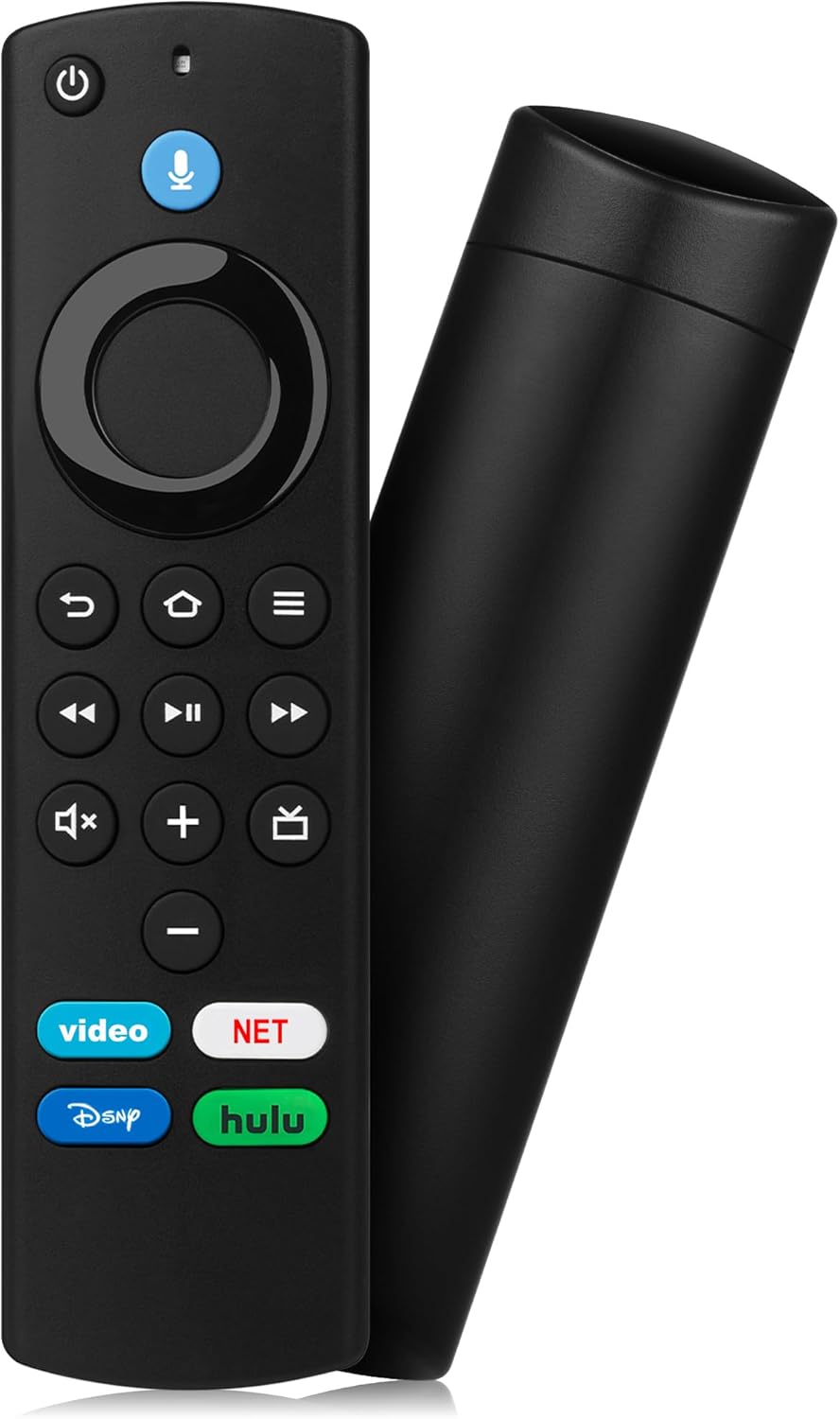
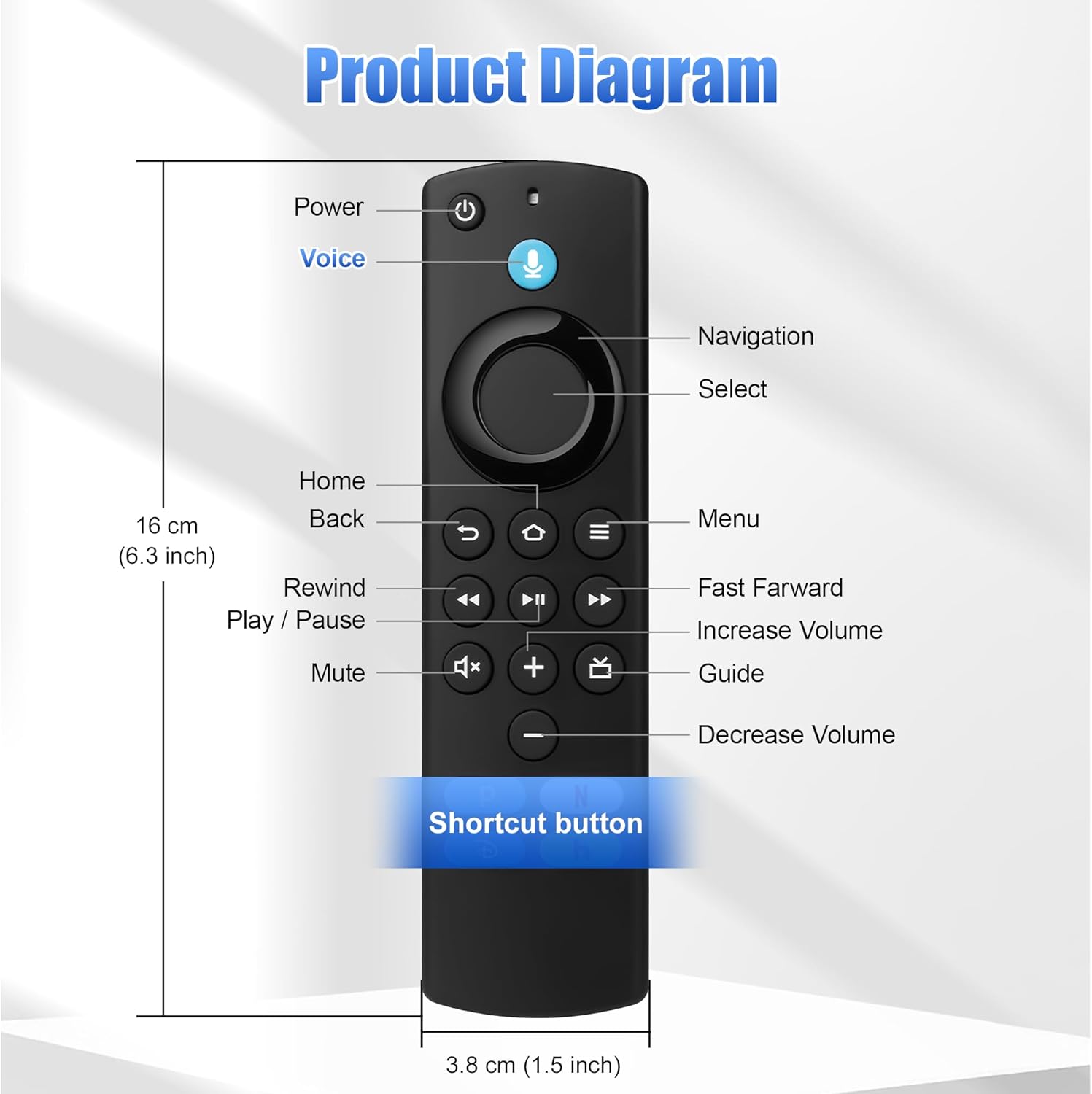
Replacement Voice Remote Control for Fire Smart TV Stick Lite, for Insignia TV Remote FireStick (2nd/3rd Gen)/4K/4K Max/TV Cube Smart TV 3rd Gen


Price: $8.94 - $7.90
(as of Apr 20, 2026 02:02:27 UTC – Details)


Product description

Replacement Voice Remote Control for All Fire-Series, TV Cube/Stick, Compatible with 4K Max/4KReplacement Voice Remote Control for All Fire-Series, TV Cube/Stick, Compatible with 4K Max/4K

Replacement Voice Remote Control for All Fire-Series, TV Cube/Stick, Compatible with 4K Max/4KReplacement Voice Remote Control for All Fire-Series, TV Cube/Stick, Compatible with 4K Max/4K

Replacement Voice Remote Control for All Fire-Series, TV Cube/Stick, Compatible with 4K Max/4KReplacement Voice Remote Control for All Fire-Series, TV Cube/Stick, Compatible with 4K Max/4K

Replacement Voice Remote Control for All Fire-Series, TV Cube/Stick, Compatible with 4K Max/4KReplacement Voice Remote Control for All Fire-Series, TV Cube/Stick, Compatible with 4K Max/4K

Replacement Voice Remote Control for All Fire-Series, TV Cube/Stick, Compatible with 4K Max/4KReplacement Voice Remote Control for All Fire-Series, TV Cube/Stick, Compatible with 4K Max/4K

Replacement Voice Remote Control for All Fire-Series, TV Cube/Stick, Compatible with 4K Max/4KReplacement Voice Remote Control for All Fire-Series, TV Cube/Stick, Compatible with 4K Max/4K

Compatible with: Replacement Voice Remote Control (3rd Gen) Fit For AMZ smart TV stick lite, smart TV stick 2nd Gen, smart TV stick 3rd Gen, smart TV stick 4K MAX, smart TV stick 4K 1st Gen, smart TV stick 4K 2nd Gen, smart TV cube 1st Gen 2nd Gen, smart TV cube 3rd Gen, smart TV 3rd Gen
Not Compatible: This remote isn’t compatible with Smart TVs 1st/2nd Gen, Smart TVs Stick 1st Gen, or Smart TVs Edition. Check your device model before ordering to ensure a fit. If it doesn’t work, contact us—we’ll provide the best solution
With Voice Function: Voice control lets you find, launch, control content, play music, check weather, view live camera feeds, and control compatible smart home devices. Standard navigation/playback controls let you jump to favorite scenes quickly
How to Pair: Remove the stick from TV and disconnect its power. Reconnect power, then reinsert the stick into TV. Hold the Home button for 10-15 seconds until the LED indicator flashes amber rapidly for 10 seconds—your remote will pair automatically
What You Get: 1 *Voice Function Remote Control(2 AAA batteries not included),1 * User Manual and our friendly customer service

Leave a Comment